Cross-Platform Development: Pros, Cons, and Best Practices

Cross-platform development refers to the practice of creating software applications that can run on multiple operating systems or platforms. This approach enables developers to write code once and deploy it across various devices, such as mobile phones, tablets, and desktop computers. 

In modern software development, cross-platform development has gained immense significance due to the proliferation of diverse operating systems and devices. It allows developers to reach a broader audience and minimize the need for separate development efforts for each platform. This introduction highlights the fundamental concept of cross-platform development and emphasizes its pivotal role in streamlining software development processes in today’s technology-driven landscape.

Understanding Platform Diversity

Mobile Platforms (iOS, Android)

Mobile app development platforms, primarily dominated by iOS and Android, form a crucial segment of the digital ecosystem. Each platform has distinct characteristics and a vast user base, necessitating developers to consider both when creating mobile applications.

  1. iOS:

  • Developed by Apple, iOS is renowned for its uniform and user-friendly interface.
  • The closed ecosystem allows for seamless integration with other Apple devices, enhancing user experience.
  • Swift, Apple’s programming language, is used for iOS app development, known for its safety and speed.

Example: The App Store boasts a curated selection of high-quality applications, ensuring a polished user experience.

  1. Android:

  • Developed by Google, Android is an open-source platform, providing more flexibility for customization.
  • It caters to a larger global audience, particularly in emerging markets, due to its availability on a wide range of devices.
  • Java and Kotlin are the primary programming languages for Android development, offering versatility to developers.

Example: Google Play Store hosts a diverse range of applications, reflecting the platform’s diversity and inclusivity.

Web Platforms (Desktop, Mobile Browsers)

Web platforms encompass both desktop and mobile browsers, serving as ubiquitous gateways to digital content and services. Understanding their capabilities is essential for creating web-based applications.

  1. Desktop Browsers:

  • Desktop browsers like Chrome, Firefox, Safari, and Edge provide a robust environment for web applications.
  • They offer powerful computing resources, enabling complex tasks and rich user interfaces.
  • Developers must ensure compatibility across different browsers for optimal user experience.

Example: Web-based email clients like Gmail leverage the capabilities of desktop browsers for seamless communication.

  1. Mobile Browsers:

  • Mobile browsers on devices like smartphones and tablets have unique constraints, such as smaller screens and limited processing power.
  • Responsive design and performance optimization are critical for a satisfactory mobile browsing experience.
  • Progressive Web Apps (PWAs) utilize mobile browsers to offer app-like functionalities, even in offline mode.

Example: Twitter’s mobile web version provides a similar experience to its native app, demonstrating the potential of mobile browser-based applications.

Desktop Platforms (Windows, macOS, Linux)

Desktop platforms, encompassing Windows, macOS, and Linux, remain integral to many professional and personal computing environments. Understanding their nuances is essential for creating desktop applications.

  1. Windows:

  • Windows, developed by Microsoft, boasts the largest user base in the desktop market.
  • .NET Framework and C# are popular choices for Windows application development, offering seamless integration with the platform’s ecosystem.
  • The Windows Store serves as a centralized distribution platform for applications.

Example: Microsoft Office suite exemplifies the extensive range of applications available on the Windows platform.

  1. macOS:

  • Apple’s macOS is known for its sleek design and intuitive user interface.
  • Developers primarily use Swift or Objective-C for macOS application development.
  • The Mac App Store provides a curated selection of applications, ensuring quality and security.

Example: Final Cut Pro, a professional video editing software, showcases the capabilities of macOS applications.

  1. Linux:

  • Linux, an open-source platform, is widely used in server environments and by tech enthusiasts.
  • Developers have the flexibility to choose from various programming languages for Linux application development.
  • Package managers like apt or yum simplify software installation and updates.

Example: The Linux-based Ubuntu operating system offers a wide array of desktop applications through its Software Center.

Native Development vs. Cross-Platform Development

Native Development involves creating applications specifically tailored for a particular platform or operating system. These applications are coded in the platform’s native programming languages and APIs, providing seamless integration with the device’s hardware and software.

Cross-platform development, on the other hand, involves creating applications that can run on multiple platforms using a single codebase. This is achieved through the use of frameworks and technologies that facilitate compatibility across different operating systems.


Aspect Native Development Cross-Platform Development
Programming Language Specific to the platform (e.g., Swift for iOS, Java for Android) Generally uses a common language (e.g., JavaScript, Dart)
Integration with Hardware Full access to device features and capabilities May require additional plugins or libraries for some features
User Experience Provides a seamless, platform-specific user experience May require extra effort to achieve platform-specific UI/UX
Development Time Longer development time due to separate codebases Potentially shorter development time with code reuse
Maintenance Requires separate updates for each platform Centralized updates can be applied to all platforms simultaneously
Performance Often provides optimal performance due to platform optimization Slightly lower performance due to abstraction layer

Advantages and Disadvantages of Native Development

Advantages:

Optimal Performance: Native apps are optimized for their respective platforms, resulting in superior performance.

Full Access to Hardware: Native development allows direct access to device features, enabling the creation of highly interactive and feature-rich applications.

Platform-specific User Experience: Provides a seamless and native user interface, enhancing user satisfaction.

Ecosystem Integration: Easily integrates with platform-specific tools, libraries, and APIs.

Disadvantages:

Development Time: Longer development cycle as separate codebases are required for each platform.

Higher Costs: Developing and maintaining separate codebases can be more expensive.

Limited Code Reusability: Code cannot be easily reused across different platforms.

Learning Curve: Developers need to be proficient in platform-specific languages and technologies.

Advantages and Disadvantages of Cross-Platform Development

Advantages:

Code Reusability: Allows developers to write code once and deploy it on multiple platforms, reducing development time and costs.

Wider Reach: Reaches a broader audience by targeting multiple platforms simultaneously.

Easier Maintenance: Updates and bug fixes can be applied universally, simplifying maintenance.

Faster Prototyping: Rapid development is possible due to code reuse.

Disadvantages:

Performance Overhead: Cross-platform applications may experience slightly lower performance due to the abstraction layer.

Limited Access to Platform-specific Features: Some advanced features may require additional effort or may not be fully accessible.

Potential for UI/UX Challenges: Achieving platform-specific UI/UX may require extra effort and customization.

Dependency on Third-party Tools: Reliance on cross-platform frameworks and tools, which may have their own limitations.

Choosing the Right Approach for Your Project

The choice between native and cross-platform development depends on various factors such as project requirements, budget, timeline, and target audience. Consider the following when making your decision:

Performance Requirements: 

If high performance is critical, native development may be the preferred choice.

Budget Constraints: 

Cross-platform development can be more cost-effective, especially for projects with limited resources.

Target Audience: 

Consider the platforms your audience predominantly uses and prioritize development accordingly.

Complexity of the Application: 

For simpler applications, cross-platform development may be more efficient, while complex, feature-rich apps may benefit from native development.

Time-to-Market: 

If speed is a crucial factor, cross-platform development may allow for faster prototyping and deployment.

Popular Cross-Platform Development Frameworks

Cross-platform development frameworks play a pivotal role in enabling developers to create applications that can run seamlessly on multiple platforms. Here, we’ll explore four widely-used frameworks and their key attributes.

React Native

React Native is an open-source framework developed by Facebook. It allows developers to build mobile applications using JavaScript and React, a popular JavaScript library for building user interfaces.

Pros:

Code Reusability: Developers can write code once and deploy it on both iOS and Android platforms.

Large Community and Ecosystem: A thriving community of developers and a vast ecosystem of libraries and plugins.

Fast Development: Allows for rapid prototyping and iterative development.

Live Reload: Enables real-time preview of changes during development.

Cons:

Limited Native Functionality: Some advanced features may require custom native modules.

Performance Overhead: Performance may be slightly lower compared to fully native applications.

Platform-specific Code: Some parts of the code may need platform-specific adjustments.

Use Cases

Social Media Apps: React Native is an excellent choice for apps that require frequent updates and dynamic content, such as Facebook, Instagram, and Airbnb.

Flutter

Flutter is an open-source UI software development toolkit created by Google. It allows developers to create natively compiled applications for mobile, web, and desktop from a single codebase.

Pros:

Fast Performance: Achieves near-native performance due to its direct compilation to native code.

Expressive UI Components: Offers a wide range of customizable widgets for creating complex UIs.

Hot Reload: Allows for real-time preview of code changes, facilitating rapid development.

Single Codebase: Enables development for multiple platforms from a single codebase.

Cons:

Large App Size: Flutter apps can have larger file sizes compared to some other frameworks.

Learning Curve: Requires developers to learn Dart, Flutter’s programming language.

Limited Third-party Libraries: While growing, the ecosystem may not be as extensive as some other frameworks.

Use Cases

Customized UI/UX Apps: Flutter is an excellent choice for applications where a unique and highly customized user interface is a priority, such as Alibaba, Google Ads, and Reflectly.

Xamarin

Xamarin is a cross-platform development framework owned by Microsoft. It allows developers to build mobile applications using C# and .NET, sharing a significant portion of the codebase across platforms.

Pros:

Native Performance: Xamarin apps provide near-native performance as they compile directly to native code.

Strong Microsoft Ecosystem Integration: Seamless integration with Microsoft technologies and tools.

Code Sharing: Allows for a substantial portion of code to be shared across iOS and Android platforms.

Large Developer Community: Xamarin benefits from a thriving community and extensive documentation.

Cons:

Platform-specific Code: Some features may require platform-specific implementations.

File Size: Xamarin apps may have larger file sizes due to the inclusion of the Mono runtime.

Use Cases

Enterprise Applications: Xamarin is popular for business applications, particularly those within the Microsoft ecosystem, as it provides seamless integration with Azure services and other Microsoft tools.

PhoneGap/Cordova

PhoneGap, now known as Apache Cordova, is an open-source framework for building mobile applications using web technologies like HTML, CSS, and JavaScript.

Pros:

Web Technologies: Allows developers with web development skills to create mobile apps.

Wide Platform Support: Cordova supports multiple platforms, including iOS, Android, Windows, and more.

Large Plugin Ecosystem: A vast library of plugins to extend functionality.

Cons:

Performance: Cordova apps may experience slightly lower performance due to the reliance on web technologies.

Limited Access to Native Features: Some advanced features may require additional effort or may not be fully accessible.

Use Cases

Content-driven Apps: Cordova is suitable for applications that rely heavily on content and have less complex UI requirements, such as news apps, blogs, or simple utility apps.

Technical Considerations in Cross-Platform Development

Cross-platform development involves various technical considerations to ensure optimal performance and user experience. Here are some key factors to keep in mind:

UI/UX Design Considerations

  • Consistency Across Platforms

Ensuring a consistent look and feel across different platforms to provide a seamless user experience.

  • Native Components vs. Custom Components

Deciding whether to use native UI components or custom-designed elements to achieve the desired user interface.

Performance Optimization

  • Rendering Speed

Optimizing the rendering process to ensure smooth and responsive user interactions.

  • Memory Management

Efficiently managing memory usage to prevent performance bottlenecks and crashes.

Accessing Native Features

  • APIs and Plugins

Utilizing platform-specific APIs and plugins to access device features and capabilities.

  • Compatibility Issues

Addressing compatibility challenges that may arise when integrating with different operating systems and versions.

Best Practices in Cross-Platform Development

Cross-platform development requires adherence to best practices in mobile app development to ensure efficient and high-quality application development. Here are key guidelines for successful cross-platform projects:

  • Code Structure and Organization

Effective code structure and organization are paramount for maintainability and scalability. Utilize modular design principles, separating code into reusable components. Implement clean architecture patterns to enhance code maintainability and readability. Establish clear naming conventions and directory structures for seamless collaboration among developers.

  • Testing and Debugging

Emulators and Simulators: Leverage emulators and simulators for initial testing. They provide a cost-effective way to identify and address basic compatibility issues across platforms. Ensure your application performs optimally on these virtual environments.

Real Devices: Real-device testing is essential for uncovering platform-specific bugs and optimizing performance. Utilize a diverse set of physical devices to simulate real-world user experiences and address any hardware-specific challenges.

  1. Version Control and Collaboration

Implement robust version control systems like Git to manage code changes efficiently. Utilize branching strategies for parallel development and feature isolation. Collaborate effectively by using tools like GitHub or GitLab to track issues, manage project boards, and facilitate seamless collaboration among developers. Regularly merge code updates and conduct code reviews to maintain code quality and consistency across the project.

Conclusion

Cross-platform development is a pivotal approach, offering code reusability and broader market reach. As technology advances, we anticipate more powerful frameworks and seamless integration with emerging tech like AR and IoT. This evolution is set to redefine software development.

In conclusion, cross-platform development is reshaping the industry by streamlining processes and enhancing accessibility. Its cost-effectiveness and rapid prototyping capabilities ensure adaptability in a dynamic tech landscape. Embracing cross-platform development guarantees versatile and future-ready applications.

Get professional expertise to build your mobile app with the best mobile app development company in Kolkata.
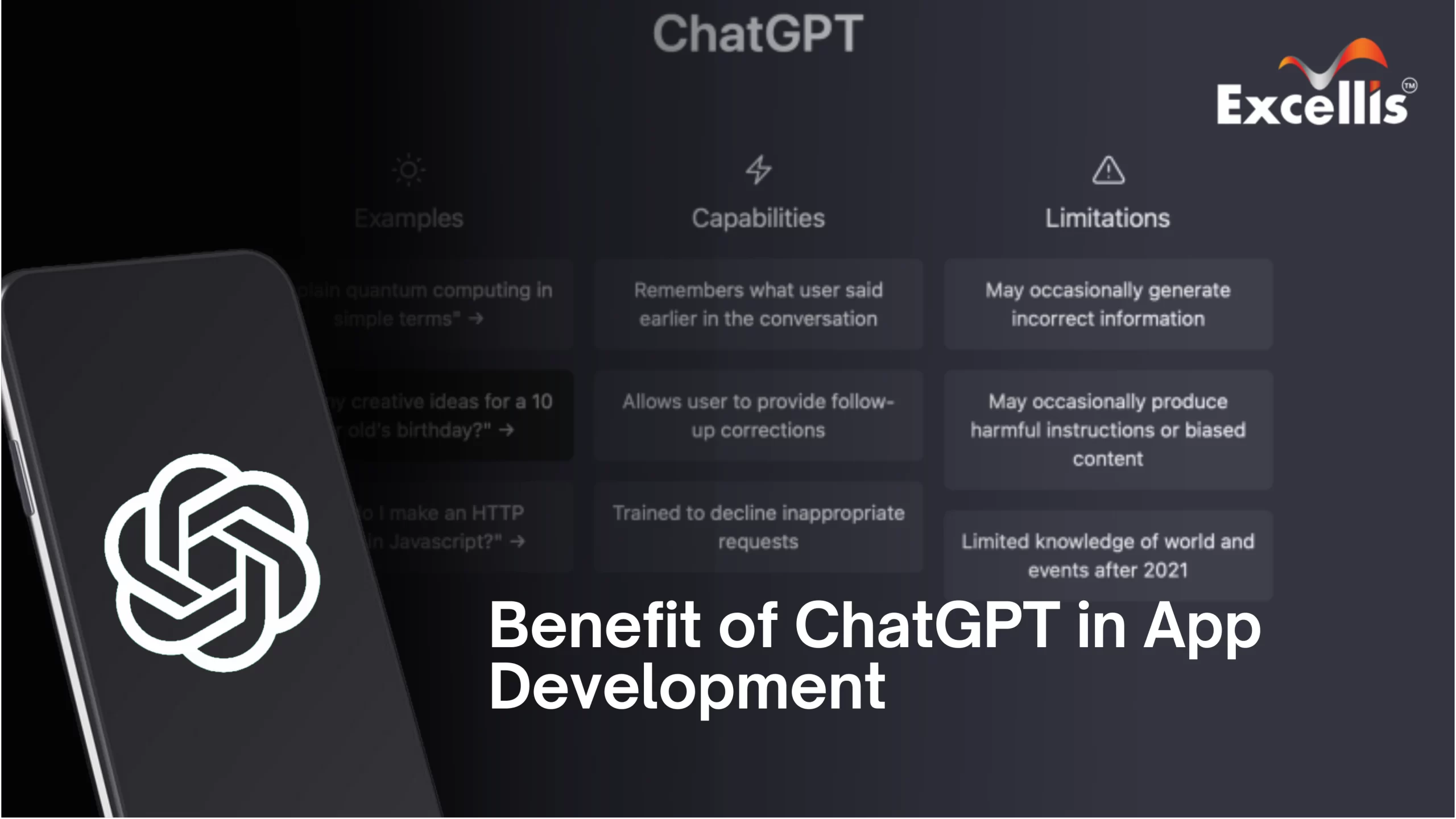

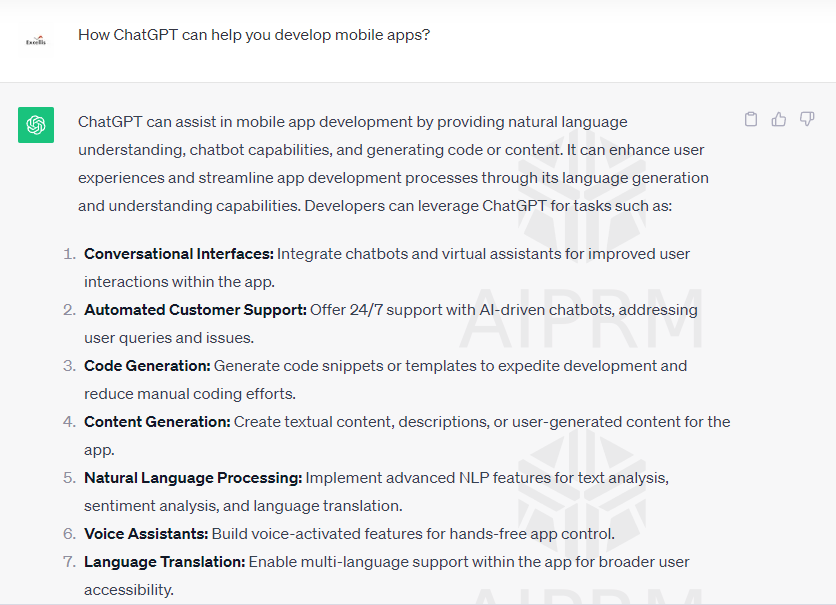
Why is ChatGPT Gaining Popularity for App Development?

There are over 3.5 billion smartphone users globally who are scrolling through different apps to fulfill their daily requirements. Mobile applications have seamlessly integrated themselves into our daily routines.With each passing moment, mobile applications continue to push the boundaries of innovation. Simultaneously, end-users are raising the bar for more sophisticated and intuitive experiences. In response, companies are on a relentless quest for cutting-edge technologies that can not only meet but exceed these expectations.

Among these technologies, Artificial Intelligence (AI) has emerged as a frontrunner, gaining significant traction in recent years. OpenAI’s brainchild, ChatGPT, stands at the forefront of this AI revolution, empowering developers to harness the full potential of AI in their mobile app development endeavors.

Here, we will delve into every aspect of app development with ChatGPT.

☑What is ChatGPT?

ChatGPT is a cutting-edge natural language processing (NLP) model developed by OpenAI. It leverages deep learning techniques to understand and generate human-like text. It has the remarkable ability to engage in conversations, comprehend context, and produce contextually appropriate responses. ChatGPT is trained on a diverse range of internet text, enabling it to address a wide array of topics and queries. Thus, it is empowered to provide all the advantages of AI.

What is ChatGPT

Why is ChatGPT Gaining Popularity for App Development?

chatGPT has been a game-changer for many aspects of the digital realm since its launch. thus, it also has significance in mobile development. let’s discover the reasons for it to be popular among tech-savvy developers.

📍 Elevating Customer Engagement

Within the domain of app development, heightening customer engagement is paramount. ChatGPT for mobile app development serves as a powerful tool to bolster this aspect. By seamlessly integrating ChatGPT into applications, developers enable dynamic, real-time interactions between the app and its users. This heightened level of engagement leads to increased user satisfaction and prolonged app usage.

📍 Empowering Lead Generation

Generating leads stands as a pivotal component of any successful business strategy. ChatGPT can be employed in apps to adeptly capture and qualify leads. Through interactive conversations, ChatGPT can adeptly gather pertinent information from potential customers, aiding businesses in identifying and pursuing valuable leads.

📍 Trim Customer Service Costs

Customer service represents a significant operational expense for businesses. ChatGPT for mobile app development offers an innovative solution to mitigate these costs. By implementing a chatbot powered by ChatGPT, businesses can automate a substantial portion of their customer support processes. This not only reduces expenses but also ensures round-the-clock availability for customer inquiries.

📍 Extracting Insights from Data

Data stands as the lifeblood of any successful business. ChatGPT boasts the capacity to process and analyze vast amounts of data in real-time. By leveraging ChatGPT in an app, businesses can gain invaluable insights into customer behavior, preferences, and trends. This data-driven approach empowers businesses to make informed decisions and refine their strategies for superior outcomes.

📍 Implementing a Conversational Marketing Approach

In today’s dynamic digital landscape, a personalized approach to marketing is paramount. ChatGPT enables businesses to seamlessly implement conversational marketing strategies. Through natural language interactions, businesses can deliver tailored messages, recommend products or services, and even provide instant assistance to potential customers. This personalized touch significantly amplifies conversion rates.

📍 Fulfilling Customer Expectations

Modern consumers now anticipate instant and personalized responses from businesses. ChatGPT for mobile app development helps meet these expectations by providing swift and relevant interactions. Apps equipped with ChatGPT can offer users a seamless experience, whether it’s addressing inquiries, offering recommendations, or providing support.

📍 Streamlining the Customer Journey

The customer journey encompasses all touchpoints a customer has with a business. ChatGPT plays a pivotal role in optimizing this journey. By integrating ChatGPT into various stages of the customer experience, businesses can ensure consistent, high-quality interactions. This leads to smoother transitions between stages, ultimately culminating in higher customer satisfaction and loyalty.

Benefits of ChatGPT in Mobile App Development

With all the above-mentioned aspects, app development with ChatGPT becomes even easier. Now, check out what benefits ChatGPT poses on mobile app development.

Benfit-of-ChatGPT

📌 Breaking Down Language Barriers

One of the key reasons for ChatGPT’s popularity is its exceptional natural language processing (NLP) capabilities. Developers can now create applications that understand and respond to human language with unprecedented accuracy and nuance. This has opened up a world of opportunities for creating multilingual and globally accessible apps.

Moreover, ChatGPT’s ability to handle colloquial language and slang makes it particularly appealing for applications aimed at younger audiences. It enables a more natural and engaging interaction between the user and the app, enhancing the overall user experience.

📌 Enhanced User Engagement

With ChatGPT for mobile app development, apps can now hold dynamic and interactive conversations with users. This level of engagement goes far beyond traditional static interfaces, creating a more immersive and personalized user experience. As a result, users are more likely to spend extended periods within the app, leading to higher retention rates.

Additionally, ChatGPT’s capacity to remember past interactions allows for more personalized responses. It can recall previous conversations and adapt its replies based on the user’s history, fostering a sense of familiarity and rapport.

📌 Tailored Solutions for Every Industry

ChatGPT’s flexibility allows it to be adapted to a wide range of industries and use cases. Whether it’s healthcare, finance, e-commerce, or education, developers can customize ChatGPT to meet the specific needs of their target audience. This versatility has made it an invaluable tool for businesses across diverse sectors.

For instance, in the healthcare sector, ChatGPT can assist in patient consultations by providing accurate information and answering queries in real-time. In the e-commerce industry, it can enhance customer service by offering personalized product recommendations and assisting with purchase decisions.

📌 Seamless Integration

Developers appreciate the ease with which ChatGPT for mobile app development can be integrated into existing applications. Its compatibility with popular programming languages and frameworks ensures a smooth and efficient development process. This seamless integration minimizes the time and resources required to implement ChatGPT, making it an attractive option for developers.

Furthermore, ChatGPT’s APIs (Application Programming Interfaces) are well-documented and user-friendly, allowing developers to quickly grasp how to leverage its capabilities within their applications. This accessibility streamlines the integration process even further.

📌 Accelerated Development Process

ChatGPT comes with pre-trained models that understand a wide array of topics and contexts. This accelerates the app development process, as developers can leverage these models to jumpstart their projects. It significantly reduces the time and effort required to build a robust and functional app.

Moreover, the pre-trained models serve as a strong foundation for fine-tuning, enabling developers to tailor ChatGPT to their specific requirements. This adaptability ensures that the app’s interactions align seamlessly with its intended purpose.

📌 Continuous Learning and Improvement

ChatGPT’s ability to learn from new data ensures that it stays up-to-date with the latest trends and information. This means that apps developed with ChatGPT have the potential to evolve and adapt over time, providing a sustainable solution for businesses in a rapidly changing technological landscape.

This adaptability is particularly crucial in dynamic industries where staying current with the latest information is paramount. For example, in the finance sector, ChatGPT can provide real-time updates on market trends and investment strategies.

📌 Thriving Developer Community

The ChatGPT community is a vibrant hub of developers, enthusiasts, and experts. This ecosystem fosters collaboration, knowledge-sharing, and innovation. Developers can tap into this collective expertise to troubleshoot challenges, discover new use cases, and stay updated with the latest developments in the field.

Additionally, online forums and communities dedicated to ChatGPT for mobile app development provide a platform for developers to seek advice, share best practices, and showcase their projects. This collaborative environment encourages growth and innovation within the community.

📌 Robust Support and Documentation

OpenAI provides comprehensive documentation and support resources for developers using ChatGPT. This ensures that developers have access to the information they need to maximize the potential of this powerful tool. The availability of reliable support is a crucial factor contributing to ChatGPT’s popularity.

The well-maintained documentation includes tutorials, code samples, and troubleshooting guides, making it easy for developers to get started and overcome any challenges they may encounter. Additionally, OpenAI’s responsive support team is readily available to address any specific queries or concerns.

Conclusion

ChatGPT’s surge in popularity for app development can be attributed to its multifaceted capabilities. Its ability to elevate customer engagement, empower a lead generation, trim customer service costs, extract valuable insights from data, implement conversational marketing, fulfill customer expectations, and streamline the customer journey makes it an invaluable tool for developers and businesses alike. As the technology continues to evolve, ChatGPT for mobile app development is poised to become an even more integral part of the app development landscape.

Mobile App Development: 50 Frequently Asked Questions

You possibly have several inquiries about the procedure if you’re considering developing a mobile app for your company or organisation.

In the fast-evolving landscape of mobile app development, knowledge is key to success.

This article provides a comprehensive insight into the world of creating applications for smartphones and tablets. Covering a wide array of topics, from platforms and programming languages to design principles, security, and user experience, this resource is a valuable guide for both beginners and experienced developers.

50 Most Searched FAQs on Mobile App Development

Delve into the nuances of native and cross-platform development, and understand the significance of app monetization, accessibility, and testing methodologies.

  • What is mobile app development?

A: Mobile app development is the process of creating software applications that run on mobile devices such as smartphones and tablets.

  • What are the two main platforms for mobile app development?

A: The two main platforms are iOS (Apple) and Android (Google).

  • What programming languages are commonly used for iOS app development?

A: Swift and Objective-C are the main programming languages for iOS app development.

  • What programming languages are commonly used for Android app development?

A: Java and Kotlin are the primary programming languages for Android app development.

  • What is cross-platform development?

A: Cross-platform development involves creating apps that can run on multiple operating systems using frameworks like React Native, Flutter, or Xamarin.

  • What is the purpose of an IDE in mobile app development?

A: An Integrated Development Environment (IDE) is a software suite that provides tools for coding, debugging, and testing mobile applications.

  • What is the App Store?

A: The App Store is Apple’s platform for distributing iOS apps to users. Developers upload their apps to the store for users to download.

  • What is the Google Play Store?

A: The Google Play Store is the platform for distributing Android apps. It allows developers to publish and distribute their apps to Android users.

  • What is the difference between native and hybrid apps?

A: Native apps are developed for a specific platform (iOS or Android) using platform-specific languages, while hybrid apps use web technologies (HTML, CSS, JavaScript) wrapped in a native container.

  • What is the importance of responsive design in mobile app development?

A: Responsive design ensures that your app’s layout and user interface adapt to various screen sizes and orientations, providing a consistent experience across devices.

  • What is API integration in mobile apps?

A: API integration involves incorporating external services or data sources into your app using APIs (Application Programming Interfaces).

  • How does user experience (UX) impact mobile app success?

A: A positive UX leads to higher user satisfaction, engagement, and retention, ultimately contributing to the success of the app.

  • What is the role of backend development in mobile apps?

A: Backend development involves building and maintaining the server-side components of an app, including databases, APIs, and server logic.

  • What is version control, and why is it important?

A: Version control is a system that tracks changes to your codebase over time. It’s crucial for collaboration, tracking changes, and reverting to previous versions.

  • What is the difference between UI and UX design?

A: UI (User Interface) design focuses on the visual aspects of the app, while UX (User Experience) design considers the overall user journey and satisfaction.

  • What is beta testing?

A: Beta testing involves releasing a pre-release version of the app to a limited group of users for testing and feedback before the official launch.

  • How can security be enhanced in mobile app development?

A: Security can be enhanced through practices like secure coding, encryption, secure authentication, and regular security audits.

  • What is app monetization?

A: App monetization is the process of generating revenue from your app, which can include strategies like in-app purchases, ads, subscriptions, and premium versions.

  • What is the role of push notifications in mobile apps?

A: Push notifications are messages sent to a user’s device to provide updates, reminders, or other relevant information even when the app is not actively in use.

  • How can app performance be optimized?

A: App performance can be optimized by using efficient code, minimizing network requests, optimizing images, and performing regular performance testing.

  • What is the agile development methodology?

A: Agile is a flexible development approach that focuses on iterative and incremental development, allowing teams to adapt to changing requirements and deliver software in shorter cycles.

  • What is Test-Driven Development (TDD)?

A: Test-driven development is a development approach where tests are written before the code. It ensures that the code meets the specified requirements and maintains desired functionality.

  • What is the significance of app analytics?

A: App analytics provide insights into user behavior, usage patterns, and performance metrics, helping developers make informed decisions to improve the app.

  • How important is app localization?

A: App localization is crucial for reaching a global audience by adapting the app’s content, language, and cultural elements to cater to different regions.

  • What is the difference between a mobile website and a mobile app?

A: A mobile website is accessed through a web browser, while a mobile app is a standalone application installed on a device and often provides more native functionality.

  • What are the Apple Human Interface Guidelines (HIG)?

A: The Apple HIG provides design guidelines and recommendations for creating user-friendly and consistent iOS apps.

  • What are the Material Design Guidelines for Android?

A: Material Design Guidelines provide design principles for creating visually appealing and interactive Android apps.

  • What is the role of user feedback in app development?

A: User feedback helps identify areas for improvement, feature requests, and potential bugs, guiding the ongoing development of the app.

  • How does mobile app accessibility benefit users?

A: Mobile app accessibility ensures that people with disabilities can use and interact with the app, expanding its user base and providing inclusivity.

  • What is the app submission process for the App Store?

A: The app submission process involves creating a developer account, preparing the app for submission, providing metadata, and passing the review process.

  • What is the significance of offline capabilities in mobile apps?

A: Offline capabilities allow users to access certain features or content of the app even when they are not connected to the internet.

  • What are the best practices for app icon design?

A: App icons should be simple, recognizable, and convey the essence of the app’s purpose. They should also adhere to platform-specific design guidelines.

  • What is Firebase, and how is it used in mobile app development?

A: Firebase is a platform by Google that provides a set of tools for building and managing mobile and web apps, including authentication, databases, analytics, and more.

  • What is OAuth for mobile app authentication?

A: OAuth is a security protocol that allows apps to gain limited access to a user’s account on another service, such as signing in using Google or Facebook credentials.

  • How do you handle app compatibility across different device models and OS versions?

A: Comprehensive testing on various devices and OS versions, along with using responsive design and accommodating device-specific features, helps ensure compatibility.

  • What is the importance of onboarding screens in mobile apps?

A: Onboarding screens provide new users with an introduction to the app’s features and functionality, helping them get started effectively. 

  • How can I protect my app idea during development?

A: While it’s challenging to completely protect an idea, you can consider signing non-disclosure agreements (NDAs) with developers and collaborators to establish confidentiality.

  • What is the purpose of a wireframe in app development?

A: A wireframe is a visual representation that outlines the layout and structure of app screens, helping designers and developers plan the user interface.

  • What is A/B testing in mobile app development?

A: A/B testing involves creating two or more versions of a feature or design and testing them with users to determine which performs better based on predefined metrics.

  • How can I optimize app store visibility (ASO)?

A: App Store Optimization (ASO) involves optimizing your app’s metadata, keywords, and visuals to improve its visibility and ranking in app store search results.

  • What are the potential challenges in mobile app development?

A: Challenges include fragmentation across devices and OS versions, user expectations, security concerns, and staying up-to-date with platform changes.

  • How can I keep users engaged with my app over time?

A: Regular updates, new features, personalized content, and engaging notifications can help keep users engaged and coming back to your app.

  • What is the role of a product manager in mobile app development?

A: A product manager is responsible for defining the app’s features, prioritizing tasks, and ensuring that the development aligns with the app’s goals and vision.

  • What is the difference between a front-end and a back-end in app development?

A: The front-end involves the user interface and interactions, while the back-end handles data storage, processing, and business logic.

  • How do I choose the right mobile app development framework?

A: Consider factors such as the platform you’re targeting, your team’s expertise, the app’s complexity, and your development timeline when selecting a framework.

  • What is the role of geolocation in mobile apps?

A: Geolocation allows apps to determine a user’s physical location, enabling location-based features and services.

  • How do I address app performance issues on different devices?

A: Performance testing on a range of devices and using performance optimization techniques like caching, lazy loading, and efficient algorithms can help address device-specific issues.

  • What is the purpose of a storyboard in app development?

A: A storyboard is a visual representation of the app’s user flow, showing how screens are connected and the overall navigation.

  • What are the legal considerations in mobile app development?

A: Legal considerations include intellectual property rights, privacy policies, terms of use, and compliance with data protection regulations like GDPR.

  • How do I effectively promote and market my mobile app?

A: Utilize social media, content marketing, influencer collaborations, app store optimization, and targeted advertising to effectively promote your app to your target audience.

Conclusion

This collection of frequently asked questions equips you with insights into industry best practices and emerging trends. From concept to submission, optimization to marketing, these answers provide a foundation for building user-friendly, secure, and engaging apps.

Whether you’re curious about backend integration or seeking advice on optimization, these frequently asked questions and their answers offer a roadmap for successful mobile app development.

Top Ten Major Mobile App Development Challenges in 2022


Our time is indexed with rapid technological developments, and increasing digitalization. Simulations and virtual realities overflow our world. All these determinants of our time made mobile apps and software such a booming phenomenon.

A considerable amount of capital revolves around the development and launching of mobile apps. To give a local example, the Mobile App Development Companies in Kolkata are also witnessing a recent hike in demands.

However, the path toward Mobile App Development is not always rosy. Various software development challenges plague and thwarts this otherwise smooth development graph. Let’s look closely at the types of challenges App-Developers usually face.


Types of Challenges in Developing Mobile Applications

There is a myriad of different app-development challenges that may arise throughout the process. These challenges can range from funding deficiency, and the ability to stand out in a competitive market to the issues of device compatibility.

Below we set to discuss our top picks of app-development challenges in 2022.


Getting the Development Approach Right

Any Mobile App Development Agency would tell you how important the right technology approach is in developing an app. Taking the right approach in the earlier stages is of paramount importance to satisfy your customers.


Let’s walk you through some of the conventional development approaches:

  • Native app development: This approach is taken when you intend to develop an app for a specific (native) mobile operating system. Native apps are reliable and efficient. However, if you develop a native app for the android marketplace, you will have to develop it all over again if you intend to showcase it in another marketplace.


  • Cross-platform app development: The cross-platform approach is exactly what the name says. This approach is usually taken when you want to showcase your app on a range of different app marketplaces. Though it sounds full-proof and versatile, it comes with its share of drawbacks. For instance, some features are easier to develop on the native app than on the cross-platform kind. Also, this approach is much more costly and time-consuming.


  • Hybrid app development: The third approach is an attempt to bring together elements from native apps and web applications. The hybrid approach essentially consists in placing web apps inside native app shells. Thus, a single source of code can run the concerned app on multiple platforms. This otherwise admirable aspect is not without its drawbacks.

Taking the hybrid approach to developing an app also entails sacrificing a lot of native UX. There is much more in a system-based approach that the hybrid method simply can’t replicate.

Thus, your needs and goals as a developer and your target consumers are the main determinants to influence the choice of approach.


Enhancing the User Experience   

In our extremely competing app market, users are more inclined to download those apps which have a satisfying and enjoyable interface, over others. As a developer, you must meet this challenge of users’ satisfaction.

Enhancing User experience can be a subtle art since it amounts to incorporating the best usability practices. User-friendly interface, loading times, stunning design and eye-catching colour combination can be a few such aspects to potentially accelerate the User Experience. Mobile App Developers in Kolkata and elsewhere are tirelessly working on these aspects to enhance the user experience more and more.


The Compatibility Problem

Developers need to make sure that their apps provide a top-notch experience irrespective of the platform. The threefold compatibility, i.e. Android, iOS and Windows, is cardinal in our times.

Sometimes the cross-platform approach may come into conflict with native features. Developers should try to find a common and optimum ground between these two aspects.

Additionally, developers can constantly monitor the Web Content Accessibility Guidelines (WCAG guidelines) to keep up with the compatibility requirements at every stage of the development of their apps.


Funding and Finance

You may come up with the idea of a great app, but an idea without the requisite funding would be like building a castle in the air.

The aspect of funding and finance is a great stumbling block to mobile-app development since it is extremely difficult, if not impossible, to predict the costs involved.

The costs may range from $3,000 to $150,000, depending on a variety of factors, some of which can be downright accidental.

However, when there is a will there’s a way. It is possible to get funding through a range of different ways such as angel investors, loans, or joint ventures.


Being Unique In the App Market

App Market is a rather competitive place for any freshly developed app to come into the limelight. Since there is a lot of the same kind of apps, the difficulty of making your app stand out comes to the fore.

Here we suggest a few ways to make your app shine in the marketplace:

  • Promote the app and make it discoverable.
  • Add a unique feature which can make your app stand out.
  • Follow the strategies to boost downloads.
  • Get professional help to generate more ROI. Any digital marketing company in Kolkata or elsewhere can help you with it.


Product Management

When an app is in development or about to be launched, the problem of product management becomes a significant issue. In most cases, a product manager plays this extremely crucial role.

A product manager collects and assesses an abundance of analytical data to predict the app’s best-performing features and best-suited target audience. This practice includes gathering users’ feedback, A/B testing (Comparing two versions of a Marketing asset) and other kinds of data collection.

By obtaining all these data, the product manager prepares the ground for the smooth launching of the app. Their analysis also helps to delineate a go-to-market strategy, long-term goals, a vision and a product direction.


User Read Also: Which is Better for Developing iOS Apps: Flutter or Swift?

Adaptability during Development

To achieve the goal and target users of the application, system architects could suggest further tweaking. Thus if their foresight dictates that changes, patches or updates are needed to ensure more efficiency, the developing team must be ready to instill all those changes.

After all, only the continuously evolving app survives the onslaught of time. If only to keep an app engaging, the developers should experiment with regular patches and downloads.


Security and Cyber-security

Over time, a mobile application gathers an enormous amount of users’ information of the most personal kind. Protecting this asset must be every developer’s top priority.

Different kinds of malware attacks, vile attempts to steal personal information, and other data breaches can reduce an enterprise to bankruptcy. Very often it results in the complete removal of the concerned app from the Google play store or App Store.

To shield your app against mobile security challenges, you may consider the following precautions:

  • Different access levels to gather confidential information.
  • Regular backing up of data system
  • Advanced anti-malware software
  • Encrypting all data


Overlooked Scaling Opportunities

This particular challenge in the course of the development of an app emerges more from the part of developers’ mistakes than functional complications. Some organizations tend to leave the app a lurch after launching.

Through this neglectful attitude, developers miss the opportunity to optimise and enhance the app further. This additional tweak may consist of extra services or making the interface easier to navigate.


User Read Also: 5 Incredible Benefits of Enterprise Mobile Apps to Enhance Business Growth


Finding the Right Mobile Developers

Here we come to the final stumbling block of app development. It is without a doubt getting the right developer for your mobile app.

Companies may look out for customised solutions to app development. Expert proficiency in digital marketing, ROI and so forth is a must in this case to eliminate all possible loopholes which may arise during development.


In Place of Conclusion

In the above discussion, we tried to recount the top ten foremost challenges to app development, as well as how to work towards mitigating them.

After all, the constantly evolving technologies will keep posing challenges to app developers. Perhaps we have not seen it all: In future, there will be more challenges to manage.

The best course of action amidst so many challenges is thus to keep experimenting with the known strategies without being blind to the unknown and ensuing challenge. Besides, it is always worthwhile to seek professional help. Any leading digital marketing company in Kolkata can fruitfully help you with your endeavour.


5 Incredible Benefits of Enterprise Mobile Apps to Enhance Business Growth

Most of the big enterprises rely on different software like CRM applications and ERP systems. Heavy use of software can lead to a horrible UX and UI most often. Hence, modern businesses are shifting fast and getting vistas of opportunities using mobile apps. Considering the data available in analysis by Grand View Research Inc., the global enterprise business apps market will reach at the value of worth USD 259.51 billion by 2022. Top industries are expected to grow at a CAGR of 7.8% in the coming year due to an increasing use and applicability for digitalization among enterprises.

From customer relationship management, documenting expenses to facilitating payments, mobile apps are indispensable options to cultivate a business to the next level. Best App Development Services India offers a much-hyped digital revolution that is impacting businesses to a great extent. Using these apps has transformed the ways of interaction between customers and businesses. The direct implication of the mobile apps paves the way for huge customer and employee engagement and collaboration in workplaces.

Benefits of Enterprise Mobile App

Build a strong brand image

Top professional app developers of reputable Mobile App Development Company in India put tireless effort to create a robust presence. They work as a natural extension to give your organization the right solutions. Utilize the elegantly designed mobile app to implement impressive brand recognition for your business. It promotes your brand, boosts your online sales and services.

Enhanced ROI

In app development, the enterprises are spending more capital on the design as well as development to enhance the UX and easy navigation. This mobile applications need minimum maintenance cost, and these are updated on a regular basis and provide high user engagement with enterprise apps. This helps in boosting the return on investment of your business also builds new paths to boost revenue generation. Some apps like eCommerce apps, hotel booking apps, and ticket reservation apps can create a much higher ROI.


User Also Read: Which is Better for Developing iOS Apps: Flutter or Swift?


Customer engagement

Enterprise mobile app has an amalgamation of all the required benefits. It also has some key features like unbreachable security, data encryption, interoperability, and real-time access to data, which help to achieve a true customer experience. The Best Mobile App Development Company India has extensive experience in boosting your customer engagement.

Well-organized business process 

Enterprise Application Integration (EAI) helps to simplify the business processes by applying top-notch functionality from useful apps into an easy-to-use interface. It helps to build teamwork between various departments and maintain workflow transparency. This helps to improve the collaboration without developing application-specific interfaces and linking them point-to-point.

Best Mobile App Development Company help in business growth, efficiency, and user experience by creating a competitive edge for businesses.

Final words

These are the benefits of using Enterprise Mobile Apps to bring more credibility to a business. Contact a highly acclaimed company to develop the applications for your business. Hire the expert mobile app developers serving towards fulfilling your every digital need.


Which is Better for Developing iOS Apps: Flutter or Swift?

For firms considering developing an iOS app, Swift and Flutter are the two most desired technologies. So what is the greatest way to determine which option is right for you?
Mobile apps generated $462 billion in revenue globally in 2019, according to Statista. The two most prominent app shops, Google Play and Apple App Store have 2.9 and 2.0 million apps, respectively. According to Hootsuite, 4.5 billion people on the Internet consume all of this.

It would be a shame not to be a part of this expanding company. Let us see which technology can assist you in making a better bargain now. You can always take the help of India’s best app development services to decide on the best technology.


Swift vs. Flutter: Introduction

With the release of the Swift programming language, native iOS app development got more exciting. Swift is a modern, quick, and type-safe programming language still in development. We must use Apple’s developer tools and frameworks to create iOS apps using native technologies. To get started with native iOS programming, Apple has many resources.

Flutter is a Google open-source, cross-platform mobile SDK that can be used to create apps for both iOS and Android using the same source code. Flutter is a cross-platform app development framework that employs the Dart programming language and comes with extensive documentation. Flutter is like React Native; however, it has native support. Flutter vs. React Native is the subject of a lengthy comparison.


Flutter vs. Swift – why should we compare them?

Why compare the two when one is a programming language, and the other is a toolkit or platform? Both are well-liked mobile and web app options. You can utilize either one for your iOS app, and both are worthy of consideration.

Years of experience have demonstrated that you do not necessarily need to utilize a platform-native solution to build a successful app, especially if you plan to expand your product line and make the same app available on many platforms.


How to compare Flutter vs. Swift?

To compare Flutter to Swift, we will use a variety of criteria. In terms of the user interface, it is critical to consider how well your app will integrate with the platform’s native features and interface. For time-to-market and cost-effectiveness, coding speed is essential. Your app’s performance indicates how effectively it will utilize the device’s capabilities. Community and support will become increasingly important when your development team faces difficulties. Your application’s reliability to the user is determined by its stability. The development process is aided by detailed and easy-to-find documentation. Performance and stability may be affected by the platform’s maturity. For commercial rationale, the cost of development is essential. Finally, the size of your talent pool impacts the cost of developing and maintaining your app.


UX/UI

Because Swift is an iOS-native language, integrating native iOS UI features is simple. The user interface shall be like an iOS device as possible. You will have to start from scratch with every function and aspect of the user interface.

Flutter provides many ready-to-use UI elements. To begin, call the widgets Material and Cupertino. In most cases, Swift will not be needed. Flutter-based UI should be indistinguishable from native Swift, considering the user perspective. UI and UX design company can help you with this.


Coding Speed

Swift is an excellent and quick way to start developing an iOS app. It generally works well, although it takes longer to reflect code changes. On the other hand, Swift developers argue that it speeds up app development, particularly in the initial stages.

On the other hand, Flutter includes a variety of widgets, libraries, navigation, and testing tools to help you code faster. Flutter developers do not have to worry about refining UI elements because Flutter takes care of that. Flutter’s Hot Reload also reduces the time it takes to see recent code changes. As a result, changes take less time. Furthermore, when compared to Swift, Flutter applications require fewer lines of code.


Performance

Swift has a significant advantage because it is the native language for iOS apps. Expect higher outcomes when working on jobs that require a lot of processing power (graphic effects, for example). Swift may be the better option when it comes to enhancing the platform.

Flutter, on the other hand, does not lag. First, Dart’s garbage collector is the first thing he does. Second, it is compiled by AOT (ahead of time), allowing for rapid device connection. If you do not need to make the most of the iOS platform, Flutter will perform just as well as native Swift.


Support and Community

Main Swift.org is where the Swift community congregates. Swift has around 830 contributors on GitHub, with about 2600 people following the discussion. On Stack Overflow, there are more than 284 thousand questions tagged with ‘swift.’

Flutter’s figures resemble Flutter’s. On GitHub, 3400 people follow it, and 770 people have contributed. However, on Stack Overflow, there are less than 70,000 questions tagged with ‘flutter.’ However, Flutter may have fewer problems.

Google Groups and other forums are where the Flutter community gathers (like the Slack community for Flutter). Flutter is also more community-friendly because it is an open-source solution.


User also read: App Store Optimization (ASO) Guide For 2022


Stability

Even though these technologies are still in their infancy, they pose few stability concerns. Professionals that utilize them daily create and maintain them. Swift should theoretically be more stable and trustworthy on iOS than Flutter because it is a native technology. Assuming you can discover and employ a top-tier Swift developer who knows how to make the most of Apple’s tools.


Documentation

Online documentation is available for both Swift and Flutter. Apple Developer documentation and Swift.org are good places to start with Swift. Check out Flutter. dev for all your Flutter needs.


Platform Maturity

Yes, these platforms are young, but it does not imply undeveloped. Before launching Swift, Apple drew on years of Objective-C knowledge and made numerous changes.
Before introducing Flutter, Google likewise acquired experience for a few years.


User also read: Why Should You Choose React Native for Hybrid App Development?


Development’s Price

You will not need to spend any further money because both are open source. Developers with a lot of experience charge around the same amount. The cost difference is not significant if simply an iOS app is considered. On the other hand, Flutter allows you to develop an Android version simultaneously. And that would be huge.


In Short,

Companies should pay heed to developers’ decisions about whether to learn Flutter or Swift. It is easier to find talent for your project if more individuals know and utilize technology.

In 2020, finding a Swift developer will be easier than finding a Flutter expert. Swift is used by 6.1 percent of professional developers, according to the Stack Overflow 2020 poll, whereas Dart, the language underpinning Flutter, is only used by 3.7 percent.

So? Swift vs. Flutter There is no one-size-fits-all solution to this difficulty, no matter how many figures we supply. Well-known firms use both technologies, and picking which one to use for your iOS app is based on the unique characteristics of each company.

The decision will be easier if your mobile app development company in India has prior experience with either of the two options.


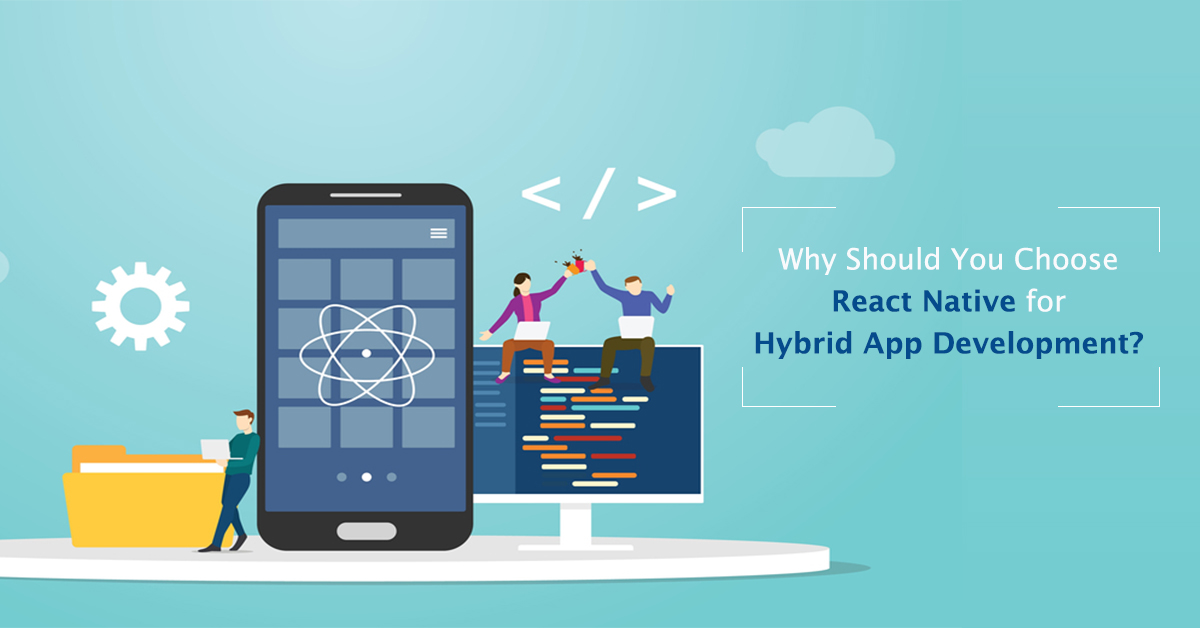
Why Should You Choose React Native for Hybrid App Development?

The smartphone app industry is constantly evolving; new apps are released every day, and some older apps fade from our minds and off our phones. Customers’ expectations rise with each new horizon we reach; therefore, developers fight to keep producing apps that please them in this chaotic ecosystem. As a result, developers are creating better and more original approaches to make items that will stand out in the market to outdo their past efforts.

Apps in the market are divided into two categories: native and hybrid. As we all know, native apps are created specifically for each platform, including Android, iOS, and Windows. On the other hand, Hybrid Apps are built once and run on several platforms. Native apps are better in quality, UI/UX, robustness, and security, but they take a long time to develop and are expensive. On the other hand, hybrid apps are less costly and faster to develop, but they function and look poorly.

As a result, deciding between quality and price is difficult; you will have to sacrifice on one front. But there must be a way around it. React Native is the name of the framework.

It is easy to get bogged down in the nitty-gritty of what React Native is and how it differs from other hybrid app development platforms. Only JavaScript is required to create mobile apps with React Native. It also uses the same architecture as React, a JavaScript toolkit for developing user interfaces, which allows you to build apps with beautiful user interfaces.

You can create an actual mobile app indistinguishable from one written in Objective-C or Java with React Native. React Native takes the same building pieces as Android and iOS apps and wraps them in React and JavaScript. You can hire the top mobile app development company in India to get a customized app.


Similarity Between React Native & Hybrid Apps


The hybrid app framework and the React Native framework are similar. And just because they are identical does not mean they are similar. React Native works in a comparable way to the Hybrid application framework in cross-platform development.


“Instagram claims to be using 85-90% of the code they used previously when the app was not built with react-native.”


Furthermore, React Native is written in JavaScript, a programming language that many programmers are already familiar with. Until now, the most popular app has been React Native Hybrid.

People who do not know how to construct a Hybrid mobile app utilizing the Native app will be relieved by the similarities between React Native and the Hybrid app.


Why React Native for Hybrid App Development?

To begin, one must choose between constructing a hybrid app with HTML5 or coding for two different native apps that do the same duties in Android and iOS. Things have changed since then. Things have gotten convenient and straightforward since the launch of React Native. As a result, the following considerations will justify the benefits of React Native app development.


Native Style Looks and Feel

When you build an app with React Native, you get all the advantages of a hybrid project while avoiding drawbacks. A hybrid app is a web application that has been molded into a native container to make it mobile-friendly. React Native does not provide a web view and is best suited to mobile devices.

The primary goal of a native app is to deliver the greatest possible user experience by ensuring that it runs smoothly and is compatible with mobile devices. React Native aids developers in accomplishing this goal. Thus, to get a website that looks unique, hire React Native Developers.


Shared Codebase Between Android & iOS

Building distinct codebases for different platforms was solved by introducing React Hybrid App. React Native is a single-codebase framework that may be used in various ways. It helps developers save time that may be put to better use while also providing users with a mobile-friendly version of the app.  Although some codes must be created according to platform specifications because the functionality varies from platform to platform, the codebase is 80% the same.


Programming Model Same As ReactJS

React Native, like ReactJS, was created by Facebook, and it includes all of ReactJS’s key modules. ReactJS is one of the most popular libraries when it comes to web development.

As a result, React Native is one of the best technologies available for mobile application development. Thus, we may conclude that working in React Native has a hidden benefit for ReactJS developers. Hire app developers to get the best React Native mobile application.


Ecosystem That Is Rich and Open

React Native has undergone a significant transition since its released. Because of its huge module library and open-source nature, React Native has attracted several industry heavyweights. Despite having access to various frameworks before React Native, the best app developers face several obstacles in creating better user experiences in their projects. Developers can now make the transition to React Native with ease and simplicity thanks to React Native. React Native Dimensions provides the ability to customize.


Part of Many Tech Giants

It may come as a surprise to learn that few Hybrid apps are available. Facebook, Reddit, Netflix, Bloomberg, Discovery VR, and many others are just a few of the apps that use React Native.

No company is willing to make a sacrifice on the user interface because they understand that providing the most pleasing user experience, which comes with React Native, is the key to surviving in the market.

Traditional hybrid app frameworks are no longer used to develop apps. Until some fantastic technological breakthrough occurs, React Native is the way to go.

JavaScript is a simple language to learn and implement. Developers find it simple to work with React Native because it is based on JavaScript. Debugging and testing are also simple.
Developers can save time and effort by using JavaScript. JavaScript is the only favored alternative for developers because of its lightweight nature (no compilation required) and procedural programming capabilities. Hire the best mobile app development company in Kolkata to get a customized mobile app that best fits your brand.


User also read: Social Media Marketing Trends for 2022


Built for Mobile

The necessity for a mobile-friendly application is urgent, so React Native is the most excellent option for any business. React Native is designed to help mobile apps act as virtual assistants.

Mobile-friendly applications are becoming increasingly vital as more employment shifts to mobile, providing users with ease and rapid growth. Every application is evolving into a react hybrid application.

As a result, you must understand – How to Create a React Native Hybrid Mobile App. In the long term, it will undoubtedly benefit you.


Lots of Tools & Libraries

React Native is one of the best frameworks for developing mobile applications. It is one of the most outstanding solutions for any mobile application difficulty, and it is popular among developers since it is beta testing proofed. A corporation can gain an advantage by developing a cross-platform application with React Native rather than a hybrid app. React Native also has several useful utilities, such as map integration libraries and standard UI controllers.


Time & Money Savings

The developers can produce their work on schedule thanks to the one source with a solution for any mobile application difficulty. It is also more appealing because it is an open-source platform that anyone may use for free.


“React Native’s single codebase, which can be used across several platforms, saves developers 33% of their work.”


Animations

Because of its smooth animated components, React Native has been adopted by numerous industry titans, mainly social media sites. It contributes to a positive user experience, which leads to higher app ratings and reviews. As we all know, a visual aid is the most effective tool for displaying information.


Hot Reloading

React Native has a Hot Reload feature, which updates the front-end application when the back-end coding is completed. The UI component can be updated in real-time with this eye-catching functionality. By making modifications to react-native JavaScript or code, developers can traverse and update the required changes anytime something is lacking. This trait allows us to have a clearer view of the rapidly changing world.


Compatibility With Third-Party Plugins

React Native features a diverse set of third-party libraries that can be used. It is completely functioning and open-sourced using a third-party plugin, even with a limited database library. As a result, users find it easy because they have access to many data and modules to use to develop their applications.


In Short:

Because of its outstanding characteristics, React Native for Hybrid App is the new beginning, putting an end to hybrid apps. The React native application is responsible for the rapid rise of several industrial titans, and its UI and UX Design are unrivaled by any other source. As a result, React Native may be said to be the solution for all existing hybrid apps, and we are heading toward a react-native future.


More reasons to trust us!

Excellis IT is building a skilled team in IT support, customer support, digital marketing, and back-office services for modern companies.

Excellis it is an esteemed ISO/IEC 27001:2022 certified company

We achieved the prestigious certification by MSME in 2019

We are certified by the Central Vigilance Commission

We are an honoured members of NASSCOM since 2022

Excellis it is an esteemed ISO/IEC 9001:2008 certified company

Excellis it is an esteemed ISO/IEC 20000-1:2018 certified company

We are certified by the CMMI MATURITY LEVEL 5

We are certified by the GeM

Visit our Clutch profile

and discover what our clients think about working with us.

ONLINE REVIEWS: