Top 6 HTML Tags You Need to Know for SEO

The visibility of a page on Search Engine Results Pages can be made or broken by HTML tags (SERPs). As a result, each tag must be meticulously written.

It is pointless to publish online material that receives no traffic, visibility, or ranking in the SERPs. It is not enough to simply write high-quality content; it is also necessary to make it search engine visible. Every website’s principal goal is to attract visitors. As a result, using search engine rankings to engage your audience is crucial. Using HTML Tags for SEO is the best approach to accomplish this. This crucial work might be assisted by an SEO agency or a Digital Marketing Agency.

A webpage’s visibility in the SERPs can be improved by optimizing its HTML tags. One factor may be favored over the others when optimizing. However, we must keep in mind that optimizing and focusing on a single HTML tag will not be beneficial. The best technique to improve the visibility of a webpage is to use a thorough and integrated SEO strategy. Take the help of organic SEO services in Kolkata to get this done.


Title Tag

The title tag is responsible for every result displayed in a search engine, whether it is Bing or Google, making it one of the most crucial HTML tags for SEO. The title tag should correspond to the title of the article. Furthermore, it is recommended that it be kept under 70 characters long, or else it will be cut short in SERPs. Avoid putting a million keywords into your titles and place them closer to the beginning.

Using the title “5 methods to do laundry” and then modifying the title tag to “title>5 Reasons to not do laundry/title>” for example, would cause confusion. Someone looking for ways to do laundry would undoubtedly ignore anything presented in this manner.


Meta Description Tag

The Meta Description Tag is included in the head of a page and allows you to specify how your content should be described in the SERPs. It shows a portion of your website’s content to your visitors. A well-written, clear, and comprehensive Meta Description Tag can entice visitors to your website, resulting in more clicks. The Meta Description Tag is a crucial SEO tag and one of the oldest HTML parts.

Meta name=” description” content=”HTML tags can make or break a page’s presence in SERPs. As a result, each tag must be meticulously written. The ten most crucial HTML tags are shown below.”/>


The Header Tags

Header tags are used to divide content in an article so that it is easier to read. About 55% of visitors will skim your material in under 15 seconds. All header tags are shown below:

<h1>/h1> – web page titles

<h2>/h2> — the title’s subject.

<h3>/h3> – reflects points

<h4>/h4> – subheadings <h3>

<h5>/h5> – not commonly used, but useful for supporting h4> points.

Header tags are also used by search engines to identify content portions and produce featured rich snippets. As a result, these HTML tags are also critical for SEO.


User also read: Create the Perfect Robots.txt File for SEO


Image Tags

Using images in your essay can improve readership by 94 percent, according to research. The Image Tag aids search engines in discovering the photos in your post. Some pages, such as an e-commerce website, need the use of graphics. Visitors’ interactions with the e-commerce web page are influenced by graphics. To help search engines display a page for appropriate queries, it is critical to help them comprehend the significance of the images and how they are connected to the rest of the material. JPEG, PNG, and GIF pictures are shown with the Image Tag. It is distinguished by three features. –

The image’s src element specifies its URL.

If the image cannot be viewed for any reason, the alt attribute describes the alternate text.

The content of the image is described by the title attribute.

The following is how an Image Tag is built:

<img> tag: <img src” girl123.jpg” alt=” A girl dancing in the rain” title=” Dancing Girl”>


Open Graph Tags

Open graph tags help improve social media search and display. If your content is posted on Facebook, for example, the open graph will be used to display information. As a result, this HTML tag is crucial for both SEO and social networking.

For instance, if the meta name=”og:title” property=”og:title” content=”Article Title”>

If the content is shared on social media, Facebook will automatically grab the title from this tag.

Descriptions and photos are supported by Open Graph. It is useful when you want to target a specific group of users on search engines and another group on social media, because it lets you have one meta description for social media and another for search engines. Our affordable SEO services in Kolkata can help you with the same.


Robots Tags


The content=”noindex” attribute on a Robot Meta Tag on any web page tells search engines not to index the page. A no follow property tells the browser not to click any of the website’s links. When you have content that has no relevance on your website but is required to be on your site for some reason, Robot Meta Tags can help. You may also need to publish some “draughts” later. You do not want such pages to appear when your site’s quality is being assessed. Robot Meta Tags are quite useful since they allow you to have some control over what appears in the SERPs. The following is the format of a Robot Meta Tag:

content=”noindex,nofollow”>meta name=”robots”>


Canonical Tags


When you have several pages with similar content, the Canonical Tags are used. It instructs the search engine to prioritise one page above another. This HTML tag also tells search engines that these pages are not duplicates.

The structure of a Canonical Tag is as follows: <link href=”URL” rel=”canonical”>


In Short,

It is no longer enough to create great content; you also need to make it search engine friendly. The HTML tags for SEO can help you get visitors and rank higher in search engines. Due of the elevated level of competition on the internet, you must strategically use all the HTML tags for SEO to maximize your advantages. The best Digital Marketing Services in Kolkata can help you out with this.

 

Create the Perfect Robots.txt File for SEO

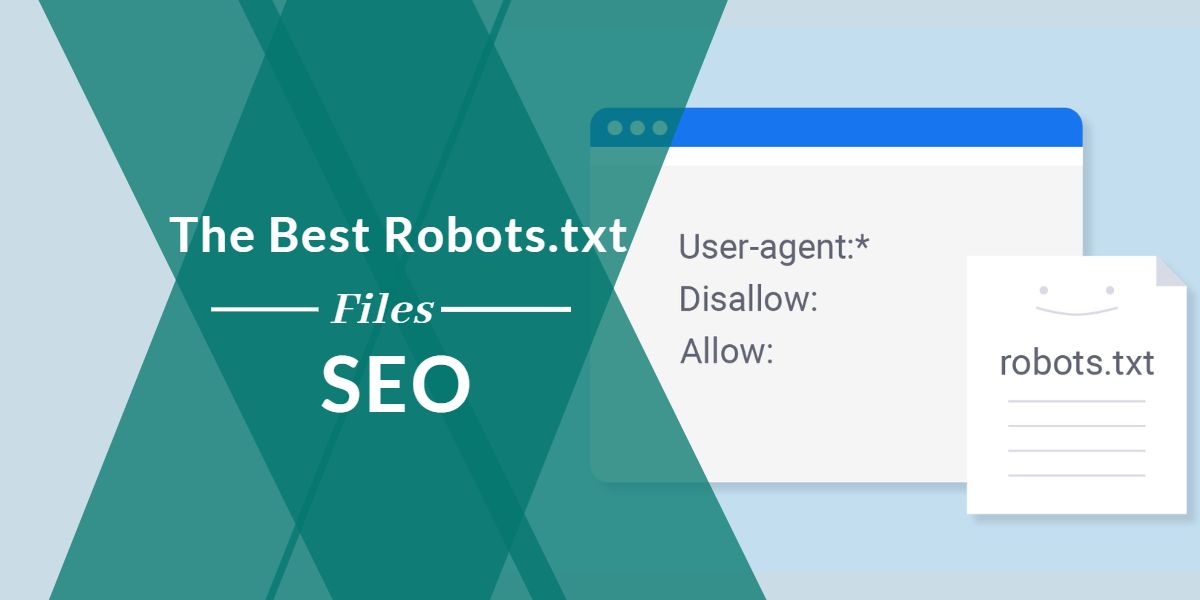
What is the purpose of robots.txt, and why is it vital for SEO? Robots.txt is a file that tells web crawlers which portions of your website they can visit. Robot txt is supported by and used by most search engines, including Google, Bing, Yahoo, and Yandex, to determine which web pages to crawl, index, and display in search results.

Your robots.txt file can be the source of your website’s inability to be indexed by search engines. Robot.txt problems are among the most prevalent technical SEO issues in SEO audit reports and result in a significant decline in search ranks. Unfortunately, robot.txt matters can happen to even the most experienced organic SEO services providers and web developers.


This Article Gives a Detailed Robots.txt Introduction and Guide


What is a robots.txt file?

Robots.txt is a file that tells web robots (primarily search engine robots) how to crawl the pages of a website. The robots exclusion protocol (REP) defines how robots crawl the internet, access and index content, and serve it to people. The REP comprises page, subdirectory, and site-wide instructions on how search engines should read links in addition to meta robots directives (such as “follow” or “no follow”).

Robots.txt files specify whether specific user agents (web-crawling software) are allowed to crawl particular areas of a website. The behavior of select (or all) user agents is “disabled” or “enabled” in these crawl instructions.


Why is Robots.txt Important?

For many websites, tiny ones, having a robots.txt file is not necessary. This is since Google can usually identify and index all a site’s important pages. Also, they will not index duplicate content or uninteresting pages by default. However, there is no reason you should not have a robots.txt file, so I strongly advise you to do so. A robots.txt file allows you more control over what search engines can and cannot crawl on your site, which is beneficial for a variety of reasons:


Allows Non-Public Pages to be Blocked from Search Engines

You might not want certain pages on your site to be indexed. For example, suppose you are working on a new website in a staging environment and want to keep it concealed from users until it is ready to go live. Alternatively, you can have login pages on your website that you do not want to appear in SERPs. You can utilize robots.txt to keep search engine crawlers away from specific pages if this is the case.


Controls Search Engine Crawl Budget

If you have trouble getting all your pages indexed in search engines, you may have a crawl budget problem. Said, search engines are wasting time crawling your website’s dead weight pages, wasting time given to crawl your material. Search engine robots can spend more of their crawl money on the pages that matter the most by using robots.txt to blacklist low utility URLs.


Prevents Indexing of Resources

It would help if you used the “no-index” meta directive to prevent specific pages from being indexed. On the other hand, Meta directives do not work well with multimedia resources like PDFs and Word docs. Robots.txt comes in handy here. Search engines will be banned from viewing these multimedia files if you add a simple line of text to your robots.txt file.


Robots. txt Timeline

Martijn Koster, the developer of Allweb, devised the robot.txt file to control how search engine bots and web crawlers access web material. Here is a timeline of the development of the robots.txt file throughout time:

  • In 1994, Koster developed a web spider that targeted his servers and launched malicious attacks. Koster created the robot.txt file to direct search bots to the correct pages and prevent them from accessing portions of a website.
  • In 1997, an internet draught was published to outline the control techniques for web robots via a robot txt file. Since then, Robot.txt has been used to limit or channel a spider robot to specified website areas.
  • On July 1, 2019, Google said it is trying to formalize the robots exclusion protocol (REP) standards and make it a web standard, 25 years after the robots txt file was created and accepted by search engines.
  • The purpose was to provide undetermined circumstances for robots txt parsing and match to conform to modern web standards. Therefore, according to this internet proposal, any URI-based (URI) transfer protocol, such as HTTP, CoAP, and FTP, can utilize robots txt.
  • To avoid putting an extra burden on servers, web developers must parse at least the first 500 kibibytes of a robot.txt.
  • Robots.txt SEO content is often cached for up to 24 hours to provide site owners and developers with enough time to update their robots.txt files.

When a robots.txt file becomes unreachable due to server issues, disallowed pages are not crawled for a reasonable amount of time. Over time, several industrial efforts to broaden robot exclusion methods have been made. Unfortunately, all web crawlers may not support these new robot txt protocols. Let us start by defining a web crawler and answering a fundamental question: how do web crawlers work?


How (Exactly) Does a Robots.txt Work?


As I previously stated, a robots.txt file serves as a guidebook for search engine robots. It instructs search bots on where to crawl (and where not to). As a result, as soon as a search crawler reaches a page, it will hunt for a robots.txt file. If the crawler encounters a robots.txt file, it will read it before proceeding with the site’s crawl. If a robots.txt file is not found, or if the file does not contain directives that prevent search bots from crawling the site, the crawler will continue to scan the whole site as usual.


A robots.txt file is explicitly formatted for search bots to find and read. To begin with, it is a text file that does not contain any HTML markup code (hence the .txt extension).

Second, it is saved to the website’s root folder, such as https://www.excellisit.com/robots.txt.

Third, it follows a conventional robots.txt syntax, as follows:

This syntax may appear intimidating, but it is simple. Briefly, you describe the bot (user-agent) to whom the instructions apply before stating the rules (directives) that the bot should follow.


Technical robots.txt syntax

The grammar of robots.txt files can be considered their “language.” In a robots file, five terms are likely to appear. Here are a few examples:

The user agent specifies which web crawler you are instructing to crawl (usually a search engine). The most used user agents are listed below.

Allow: Tells a user agent not to crawl a URL. Each URL is limited to just one “Disallow:” line.

Allow (Only for Googlebot): Tells Googlebot that it can visit a page or subfolder even if its parent page or subfolder is blocked.

Crawl delay is the amount of time a crawler should wait before loading and crawling the content of a page. This instruction is ignored by Googlebot, although the crawl space can be adjusted in Google Search Console.

Sitemap: Indicates where any XML sitemap(s) linked to this URL can be found. Google, Ask, Bing, and Yahoo are the only engines that support this command.


What Is Robots.txt Used For?

To manage spider crawl traffic to your website, utilize the Robot.txt syntax. It is essential for search engines and online users to find your website. Do you want to learn how to use robots.txt and make your own? The following are the best strategies to use robots.txt for WordPress and other CMS to optimize your SEO performance:

  • Don’t let Google’s web crawler and search bot requests overwhelm your website.
  • Use robots txt no follow directives to keep Google crawl robots and search spiders out of private portions of your website.
  • Keep harmful bots out of your website.
  • Increase your crawl budget, which is the number of pages on your website that web crawlers can crawl and index in a particular amount of time.
  • Improve the crawlability and indexability of your website.
  • In search results, avoid duplicate content.
  • Hide unfinished pages from Google’s web crawl robots and search spiders until they are ready to go live.
  • Make the user experience better.
  • Distribute link equity (also known as link juice).

Crawlability and indexability can be badly impacted by wasting crawl budget and resources on pages with low-value URLs. Therefore, do not stop learning how to generate robots txt for SEO until your site has multiple technical SEO concerns and significantly reduced ranks. Protect your website from harmful bots and internet threats by mastering robots.txt Google SEO.


Robots.txt vs. meta robots vs. x-robots

There are so many of them! What is the difference between these three distinct kinds of robot commands? First, a text file is robots.txt, whereas meta and x-robots are meta directives. Aside from what they are, the three have distinct roles to play. For example, meta and x-robots can control indexation behavior at the individual page (or page element) level, whereas Robots.txt controls crawl activity throughout the entire site or directory.


How to Audit Your Robots.txt File for Errors

I have seen more problems in robots.txt files than any other part of technical SEO in my time. Issues can and do arise when there are so many contradictory directives.

It pays to keep an eye out for problems with robots.txt files. Fortunately, you can monitor robots.txt issues using Google Search Console’s “Coverage” report. You can also use Google’s Robots.txt Testing Tool to look for issues in your live robots file or to test a new robots.txt file before deploying it.


Submitted URL blocked by robots.txt

This error indicates that robots.txt has blacklisted at least one URL in your sitemap(s). Only the URLs you want to be indexed in search engines should be included in a properly built-up sitemap. As a result, no non-indexed, canonicalized, or redirected sites should be found there.

If you have followed these recommended practices, no pages in your sitemap should be banned by robots.txt. If “Submitted URL forbidden by robots.txt” appears in the coverage report, investigate which pages are affected and modify your robots.txt file to remove the restriction. To determine which directive is blocking the material, use Google’s robots.txt tester.


Blocked by Robots.txt

This “error” indicates that your robots.txt has blacklisted pages that Google does not yet index. Remove the crawl block from robots.txt if this material is valuable and should be indexed. Caution: “Blocked by robots.txt” does not always mean something is wrong. However, that may be precisely what you are looking for.

You may, for example, have used robots.txt to prohibit specific files from being indexed by Google. If you have prevented crawling particular pages to no-index them, try removing the crawl block and replacing it with a robot’s meta tag. The only method to ensure that Google does not index content is to do so.


Indexed, Though Blocked by Robots.txt

This error indicates that Google still indexes some of the content that robots.txt has prohibited. It occurs when Googlebot can still find the content due to links from other websites. Then, Googlebot crawls and indexes that content before going to your website’s robots.txt file and seeing the forbidden directive.


It is too late by that point. It is also indexable:

Robots.txt is not the way to go if you want to keep content off Google’s search results.

I suggest removing the crawl block and replacing it with a meta robots no-index tag to avoid indexing.

On the other hand, if you accidentally blocked this content and want it to stay in Google’s index, remove the crawl block in robots.txt and leave it alone.

This could help the content appear more prominently in Google searches. Any good Search Engine Optimization Company in India can help you.


In Short,

Robots.txt can help improve the crawling and indexing of your website’s content, allowing you to appear higher on search engine results pages.

It is the most significant text on your website when used correctly. However, if used irresponsibly, it might become your website’s Achilles heel.

The good news is that better search results are within your grasp with just a little understanding of user agents and a few directives. However, if you are confused, get help from a Digital Marketing Company in Kolkata.


More reasons to trust us!

Excellis IT is building a skilled team in IT support, customer support, digital marketing, and back-office services for modern companies.

Excellis it is an esteemed ISO/IEC 27001:2022 certified company

We achieved the prestigious certification by MSME in 2019

We are certified by the Central Vigilance Commission

We are an honoured members of NASSCOM since 2022

Excellis it is an esteemed ISO/IEC 9001:2008 certified company

Excellis it is an esteemed ISO/IEC 20000-1:2018 certified company

We are certified by the CMMI MATURITY LEVEL 5

We are certified by the GeM

Visit our Clutch profile

and discover what our clients think about working with us.

ONLINE REVIEWS: